Connecting accounts (YouTube, Meta, LinkedIn)
Connect YouTube, Instagram, Facebook, Threads, TikTok, and LinkedIn for scheduling.
Why connect accounts
CleanCut publishes and pulls analytics on your behalf, so it needs permission to act on your social accounts. Connections are made per workspace, on the Scheduler’s Channel Settings page, and authorize CleanCut to schedule posts and read performance data for that client.
You can connect YouTube, Instagram and Facebook (Meta), Threads, TikTok, and LinkedIn. Each platform shows its current status — connected accounts with their avatar and name, or a prompt to connect.
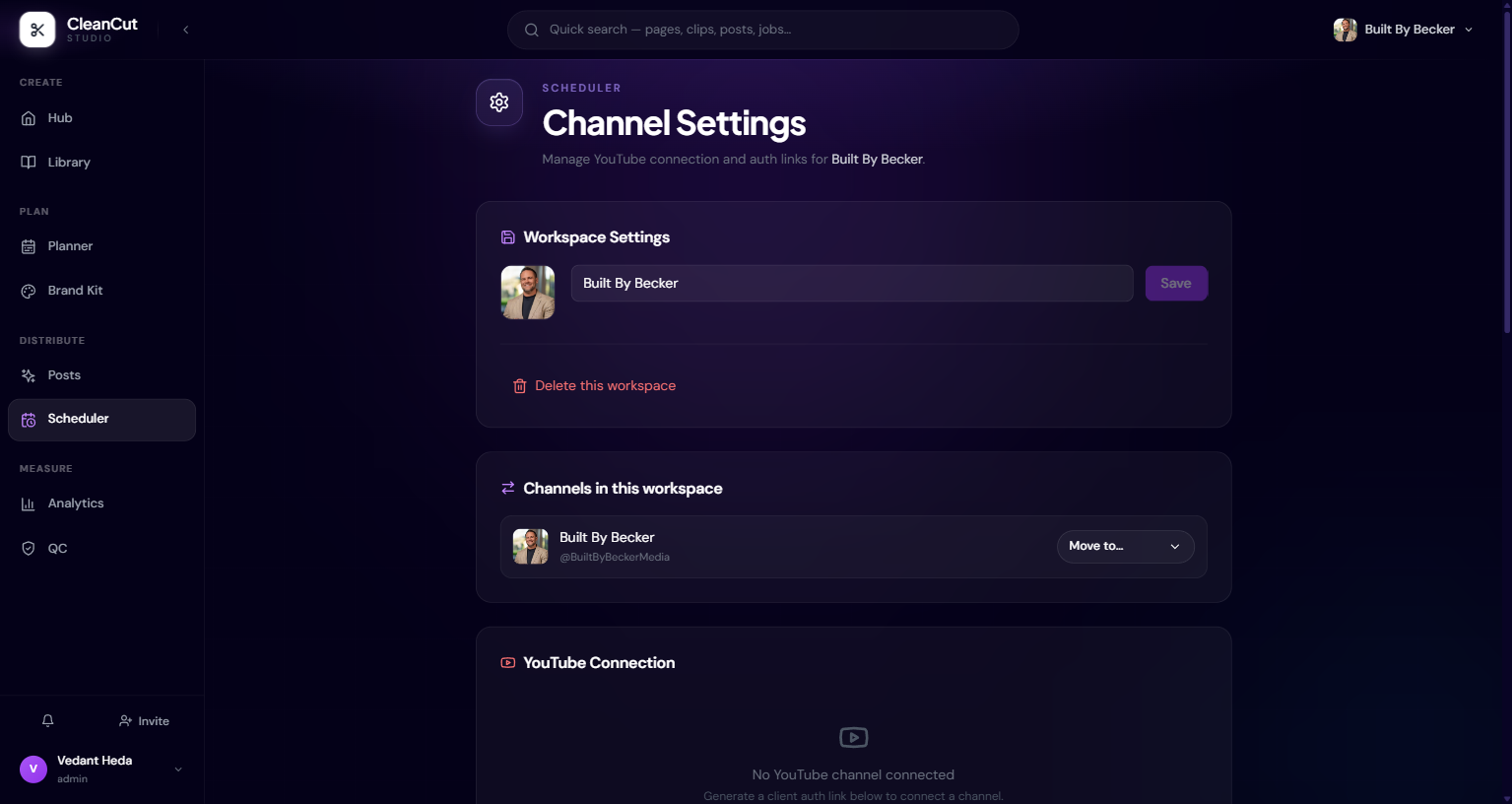
Connecting YouTube
YouTube connects through Google. There are two paths: you can authorize directly from Channel Settings, or generate a client auth link and send it to the channel owner so they authorize their own channel — useful when the creator, not the agency, holds the login.
- 1Open the Scheduler’s Channel Settings for the workspace.
- 2In YouTube Connection, start the connect flow (or generate a client auth link to share).
- 3Sign in to Google and approve the requested access.
- 4You’re returned to CleanCut and the channel appears as connected, with its connect date.
On the Google consent screen, leave every requested permission box ticked. Unticking a scope causes a partial grant that fails the connection with an exchange error — it’s a consent problem, not a CleanCut bug.
Instagram, Facebook, and Threads
Meta offers two routes under Instagram & Facebook. Connect Instagram only uses a direct Instagram login with no Facebook required. Connect via Facebook brings in your Facebook Pages plus their linked Instagram accounts.
- Instagram only — fastest path; direct login, publishing-ready.
- Via Facebook — adds Facebook Pages and linked Instagram, and is what analytics reads from.
- Multiple Instagram accounts — one is marked the analytics source; use "Use as source" to switch which account analytics reads.
- Threads — connect separately to schedule Threads posts (500-character limit).
You can disconnect a single Instagram/Facebook account or use Disconnect all. The direct Instagram login is used for publishing regardless of which account is set as the analytics source.
LinkedIn and TikTok
LinkedIn connects your personal profile for scheduled posts (Company Pages aren’t supported yet). Once connected it shows your name and email; if the token lapses, the status flips to Reconnect so you know to re-authorize.
TikTok connects your account for scheduling too. If the app is in TikTok sandbox mode, only users added through the TikTok Developers portal can publish until Content Posting API review is approved — connected accounts will show a Sandbox badge.
X (Twitter) is listed under More Platforms — Coming Soon and isn’t connectable yet.
Disconnecting
Every connected platform has a Disconnect control. Disconnecting revokes CleanCut’s access to that account: it can no longer publish or pull analytics for it, and the platform returns to its not-connected state.
- 1Open Channel Settings for the workspace.
- 2Find the platform you want to remove.
- 3Click Disconnect (or Disconnect all for Meta) on that connection.
- 4Reconnect any time by running the connect flow again.
Disconnecting stops scheduled publishing for that account. If you have queued posts that depend on it, reconnect or move them before disconnecting.