What is CleanCut?
A tour of what CleanCut does and how its tools fit together.
The short version
CleanCut is a video post-production and content platform for creators and agencies. You upload raw footage once, then use a set of AI-assisted tools to clean it up, cut it into short-form clips, design posts, plan a content calendar, schedule and publish, and measure how it performs.
Everything is organized around your media: a single upload can flow into the Editor, the Clipper, the Post Designer, and the Scheduler without re-uploading.
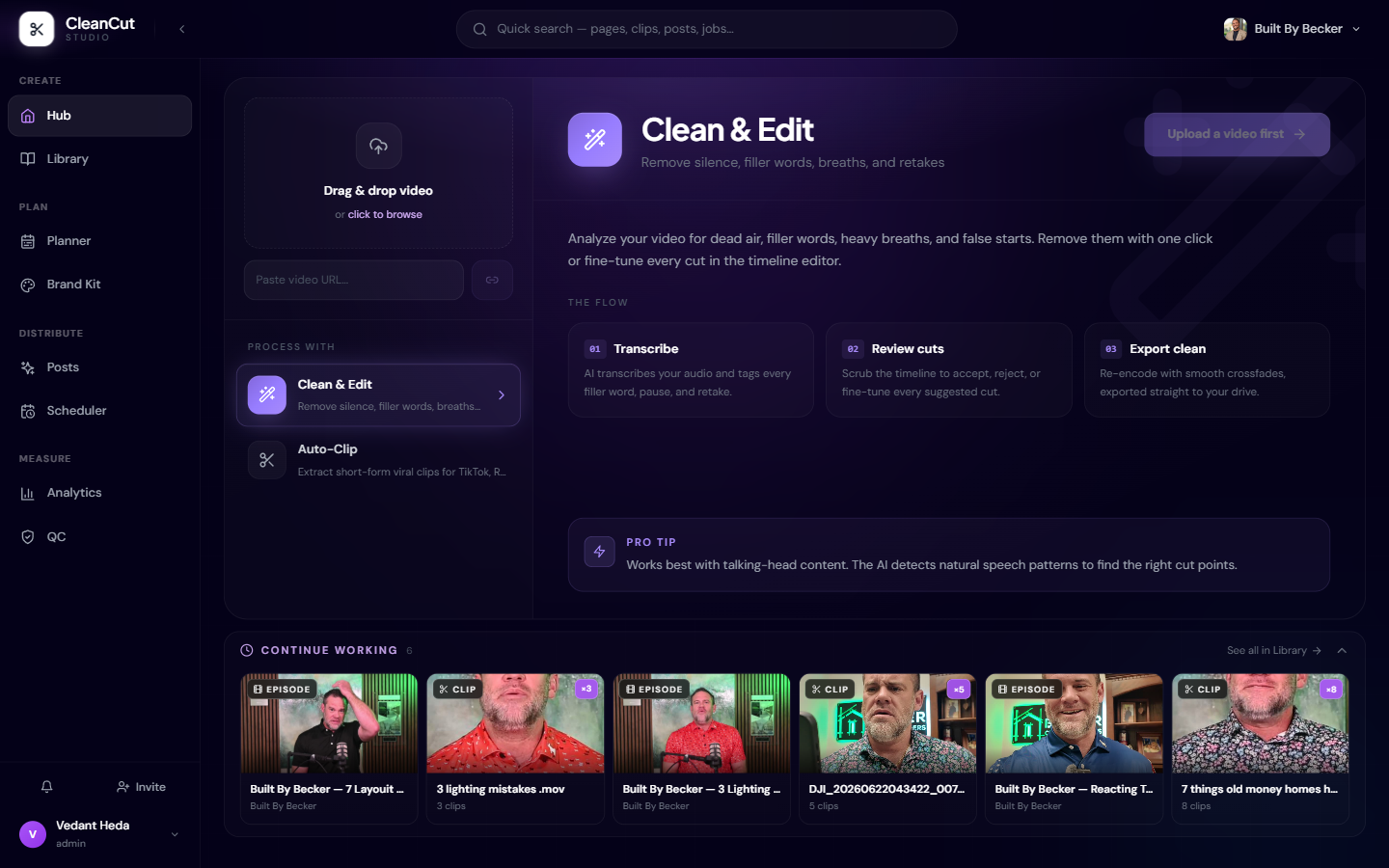
The tools
- Editor — remove silences, filler words, breaths, and retakes from long-form video.
- Clipper — automatically find and extract viral short-form clips with virality scoring.
- AI Notes — generate an editing blueprint with B-roll, music, and pacing suggestions.
- Post Designer — create quote images, faceless videos, and creator-style social posts.
- Planner — channel analytics, content strategy, and idea/script generation.
- Scheduler — connect YouTube and social accounts, schedule, and publish.
- Analytics — channel stats, video performance, and best posting times.
- Brand Kit — per-client brand guidelines that feed into AI outputs.
- Media Hub — central, resumable uploads shared across every tool.
How the pieces connect
- 1Upload your raw video in the Hub (or connect Google Drive for automation).
- 2Clean it in the Editor, or send it straight to the Clipper for short-form.
- 3Design posts and thumbnails in the Post Designer using your Brand Kit.
- 4Schedule everything on the calendar and let CleanCut publish for you.
- 5Track performance in Analytics and feed insights back into the Planner.
New here? Start with "The Hub" and "Uploading media", then jump to whichever tool matches your goal.