Uploading media
Get a video into CleanCut with resumable uploads — then reuse it across every tool.
How to upload
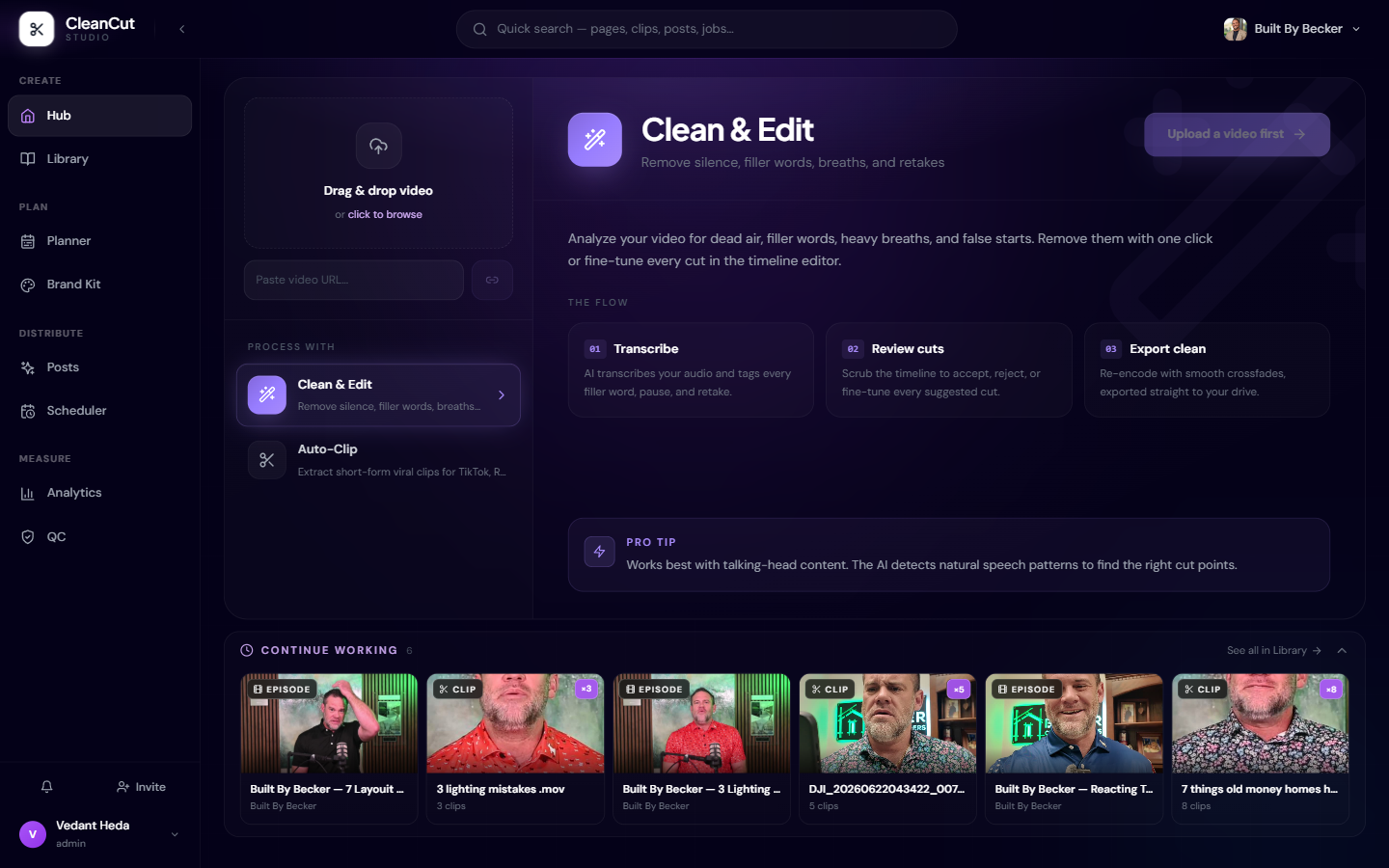
You bring video into CleanCut from the Hub at /upload. There are two ways to do it: upload a file from your computer, or paste a URL and let CleanCut fetch the video for you.
- 1Open the Hub.
- 2Drag a video onto the upload zone, or click it to browse and pick a file.
- 3Alternatively, paste a video URL into the field below the upload zone and submit it.
- 4Watch the progress bar — when it reads "Ready", your video is available to every tool.
Resumable, chunked uploads
Large videos are uploaded in chunks rather than as a single request. CleanCut sends multiple chunks in parallel and tracks progress and speed as it goes, which is both faster and far more reliable for big files on shaky connections.
Because the upload is chunked, it is also resumable. If your connection drops or you close the tab partway through, returning to upload the same file lets CleanCut pick up from the chunks that already made it across instead of starting over.
Keep the tab open while a big file uploads. If it stalls, just start the same file again — completed chunks are reused, so you only re-send what is missing.
Uploads expire after 4 hours
Media you bring into the Hub is held as a working file with a 4-hour time-to-live (TTL). It is meant for active processing, not long-term storage — within that window you can hand it to as many tools as you like.
A raw Hub upload is not permanent storage. If you come back the next day to a stale link, just re-upload the source video — the finished outputs you saved are kept separately in the Library.
Alternative: Google Drive automation
If you would rather not upload by hand for every video, CleanCut can watch a Google Drive folder and process new videos automatically as they land. This is the hands-off path for teams with a steady stream of footage.
Drive automation is set up separately from the Hub. See the Drive Automation help for connecting a folder and how processed videos appear in your Library.